
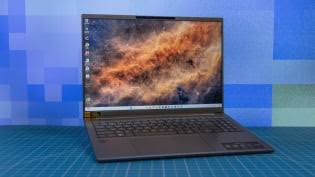
Best Laptops Under $1000 for Americans: Performance, Value, and Buying Guide
Introduction
A laptop has become one of the most important technology purchases for modern life.
Americans use laptops for:
- Remote work
- Online learning
- Business
- Entertainment
- Creative projects
- Personal productivity
However, buying a laptop can be confusing.
Manufacturers advertise dozens of specifications:
- Processor speed
- RAM
- Storage
- Graphics performance
- Display technology
But specifications alone do not answer the most important question:
Which laptop provides the best value for my needs?
Many consumers assume that a good laptop requires spending more than $1,000.
The reality is different.
In 2026, laptops under $1,000 can provide excellent performance for most users.
The key is choosing the right balance between:
- Performance
- Battery life
- Build quality
- Portability
- Long-term reliability
This NexBuy buying guide explains what American consumers should look for when choosing a laptop under $1,000.
What Can You Expect From a $1,000 Laptop?
A laptop in this price range can handle most everyday tasks.
Typical uses include:
Productivity
- Microsoft Office
- Google Workspace
- Web browsing
Remote Work
- Video meetings
- Collaboration tools
- Multiple browser tabs
Education
- Online classes
- Research
- Writing assignments
Entertainment
- Streaming video
- Music
- Casual gaming
However, users with specialized needs may require higher budgets.
Examples:
- Professional video editing
- 3D rendering
- Advanced gaming
- Large-scale software development
Important Laptop Features Explained
1. Processor (CPU)
The processor is the “brain” of the laptop.
It affects:
- Speed
- Multitasking
- Application performance
For most users in 2026:
A modern mid-range processor is enough.
Do not choose based only on processor names.
Real-world performance depends on the entire system.
2. Memory (RAM)
RAM affects how many tasks your laptop can handle at the same time.
For most users:
8GB RAM
Suitable for:
- Basic browsing
- Documents
- Streaming
16GB RAM
Better for:
- Remote work
- Creative applications
- Long-term use
- Heavy multitasking
For many buyers, 16GB is the better investment.
3. Storage
Storage affects:
- How many files you can keep
- Application loading speed
- Overall responsiveness
Modern laptops should use SSD storage.
Compared with older hard drives, SSDs provide:
- Faster startup
- Faster file access
- Better reliability
A good target:
- 256GB minimum
- 512GB preferred
4. Battery Life
Battery life is one of the most important features for mobile users.
Consider:
- Work hours away from outlets
- Travel needs
- School usage
A laptop with slightly lower performance but excellent battery life may provide a better daily experience.
5. Display Quality
Many consumers overlook the screen.
Important factors:
Size
Common options:
13-14 inches:
Best for portability
15-16 inches:
Better for productivity and entertainment
Resolution
Higher resolution provides:
- Sharper text
- Better visuals
Brightness
Important for:
- Outdoor use
- Bright rooms
Best Laptop Types Under $1000
Category 1: Best Laptop for Students
Students usually need:
- Lightweight design
- Long battery life
- Reliable performance
- Affordable price
Important uses:
- Writing papers
- Research
- Video classes
- Presentations
A student laptop does not need extreme performance.
Category 2: Best Laptop for Remote Work
Remote workers should prioritize:
- Comfortable keyboard
- Good webcam
- Reliable Wi-Fi
- Battery life
A powerful processor is useful, but communication features matter too.
Category 3: Best Laptop for Business Users
Business users often value:
- Durability
- Security features
- Professional design
- Long-term reliability
A slightly more expensive laptop may save money over time.
Category 4: Best Laptop for Creators
Creative users need more performance.
Important features:
- Strong processor
- Better graphics capability
- High-quality display
- More RAM
Examples:
- Photo editing
- Video editing
- Design work
Common Laptop Buying Mistakes
Mistake 1: Buying Based Only on Price
The cheapest laptop may not provide the best value.
Consider:
- Build quality
- Upgrade options
- Battery life
- Support
Mistake 2: Ignoring Keyboard and Trackpad Quality
Many people spend hours typing.
A poor keyboard affects daily comfort.
Especially for:
- Writers
- Students
- Professionals
Mistake 3: Buying Too Much Power
Some users overspend on features they never use.
A professional graphics laptop is unnecessary for email and browsing.
Mistake 4: Ignoring Future Needs
A laptop should last several years.
Think about:
- Future software requirements
- Storage needs
- Work changes
Laptop Buying Checklist
Before purchasing, ask:
Performance
✓ Is the processor powerful enough?
✓ Is RAM sufficient?
Daily Use
✓ Is the keyboard comfortable?
✓ Is battery life good?
Long-Term Value
✓ Is the build quality reliable?
✓ Will it still meet my needs in three years?
How AI Can Help Choose a Laptop
Artificial intelligence has made laptop shopping easier.
Instead of searching:
“Best laptop”
Ask:
“I need a laptop under $1,000 for remote work. I use video meetings daily and need excellent battery life. Compare the best options.”
AI can help compare:
- Features
- Reviews
- Prices
- Alternatives
Future Laptop Trends
Laptops are becoming smarter.
Future devices will include:
- Better AI performance
- Improved battery efficiency
- More personalized features
- Enhanced security
AI-powered computing will become a major buying factor.
Final Thoughts
Finding the best laptop under $1,000 does not require choosing the most expensive option.
The best laptop is the one that matches your lifestyle.
Students need portability.
Remote workers need reliability.
Professionals need performance.
The smartest buyers focus on value rather than marketing.
Before purchasing, compare:
- Performance
- Battery life
- Comfort
- Long-term reliability
A well-chosen laptop can remain useful for years.
FAQ
Can I get a good laptop under $1000?
Yes. Many laptops under $1000 provide excellent performance for students, professionals, and everyday users.
How much RAM should a laptop have in 2026?
For most users, 16GB RAM provides a better long-term experience.
Is a laptop under $1000 good for remote work?
Yes. Many affordable laptops can handle video calls, office software, and multitasking.
Should I buy a cheaper laptop or a premium model?
Choose based on your actual needs. Premium laptops offer advantages, but many users do not need them.